4 easy steps to exporting stems in Ableton Live for Professional Online Mixing and Mastering Services.
- Go to the File
- Select Export Audio/Video
- Follow settings to picture on the right.
- Then hit Export.
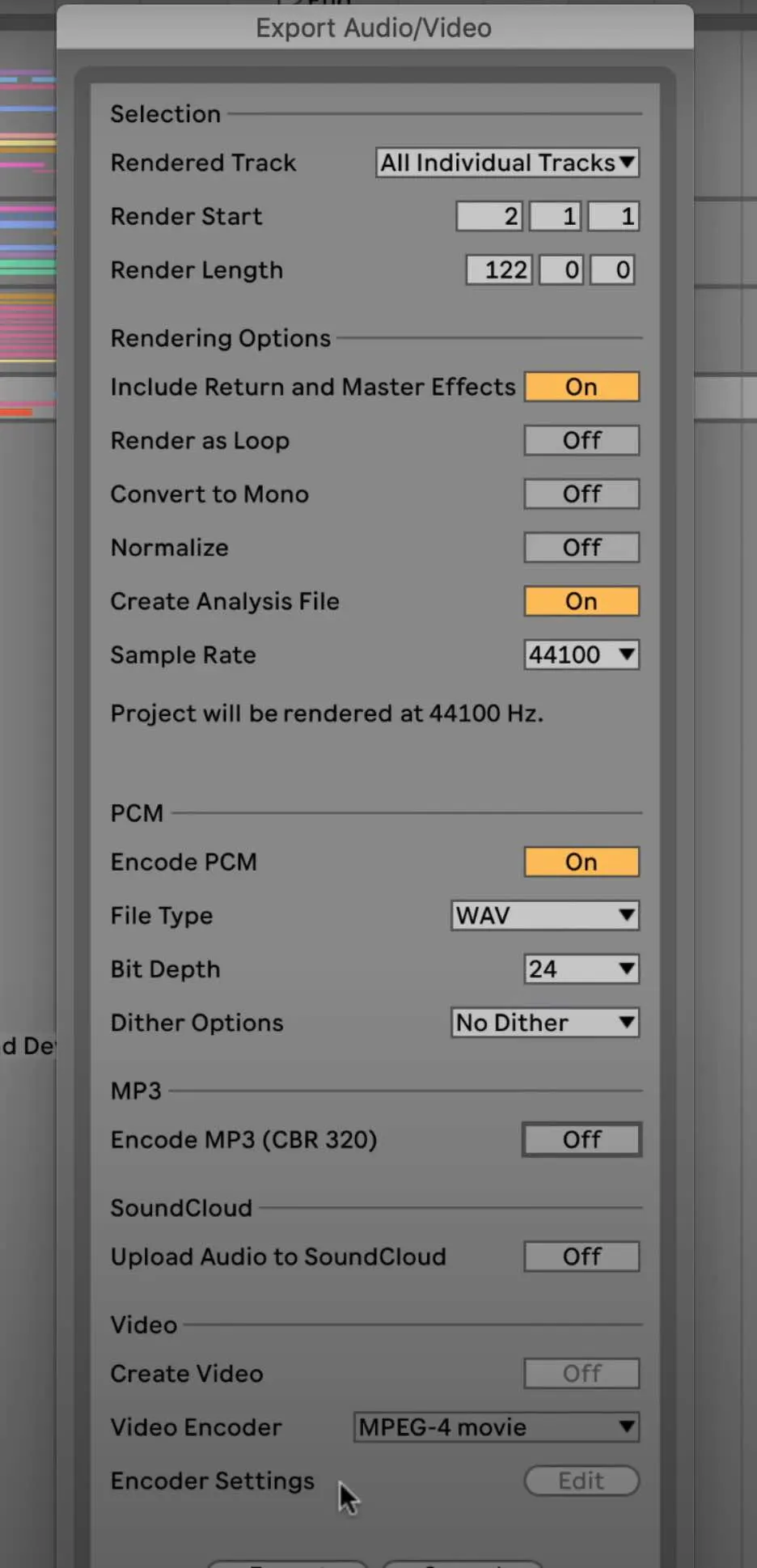
After exporting your stems you can then upload your zip file here at Audiomixingmastering.com/upload for professional online mixing and mastering services for a affordable rate.
Listen to our before and after samples here at Audiomixingmastering.com/samples to hear why we are #1 worldwide.
One Step From a Pro Mix
Ableton's export takes care of the technical side; what mixing services care about is consistency, every stem from bar one, dry where possible, with your rough mix included for direction.