8 easy steps to exporting stems in FL Studio for Professional Online Mixing and Mastering Services.
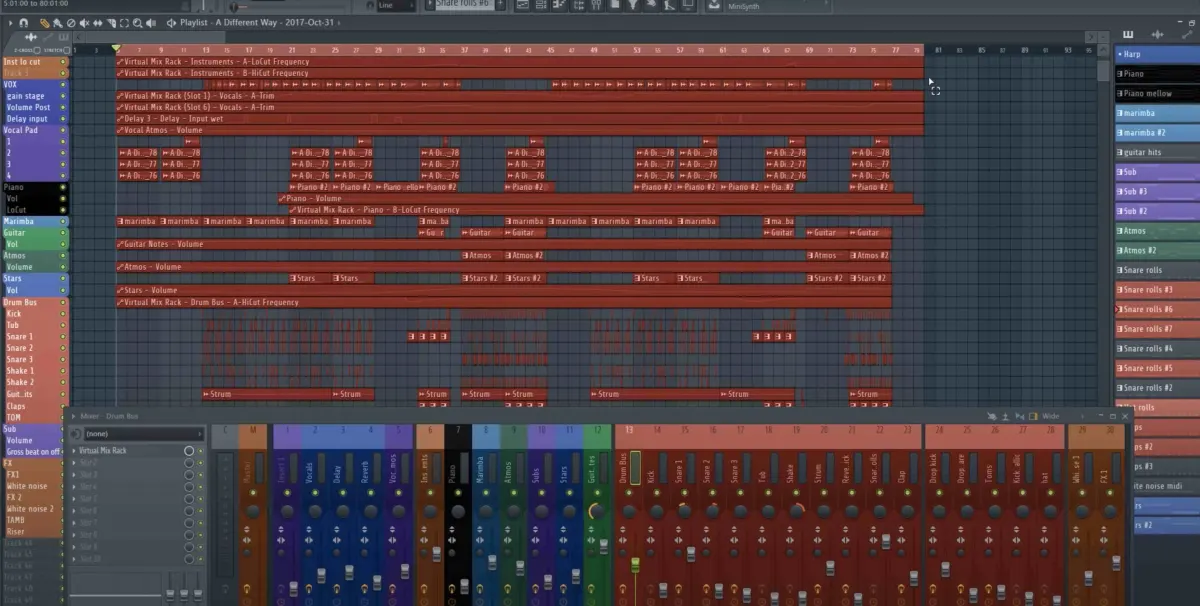
- Send all tracks to an individual channel in your mixer.
- At the top select your whole song (as seen in picture below).
- Go to File > Export > Wave file
- Name the song into folder
- Select split mixer tracks in the window
- Select 24 bit
- Select 512-point sinc
- Then click start and your stems will be exported.
After exporting your stems you can then upload your zip file here at Audiomixingmastering.com/upload for professional online mixing and mastering services for an affordable rate.
Listen to our before and after samples here at Audiomixingmastering.com/samples to hear why we are #1 worldwide.
After You Export
Clean, separated stems are exactly what professional mixing services need, label them clearly, include a rough mix for reference, and your engineer can start where your FL Studio session left off.