4 easy steps to exporting stems in Pro Tools for Professional Online Mixing and Mastering Services.
- Highlight all tracks from the end to the beginning (as seen in picture below)
- Choose Edit at the top menu
- Consolidate Clip
- Keep all tracks selected and hit shortcut on your keyboard for Mac: Shift + Command + K and for Windows: Control + Shift + K to export stems.
Use these settings:
- File Type: WAV
- Format: Interleaved
- Bit Depth: 24 Bit
- Sample Rate: 44.1khz
- Prompting for each duplicate
Choose your destination and name your files accordingly.
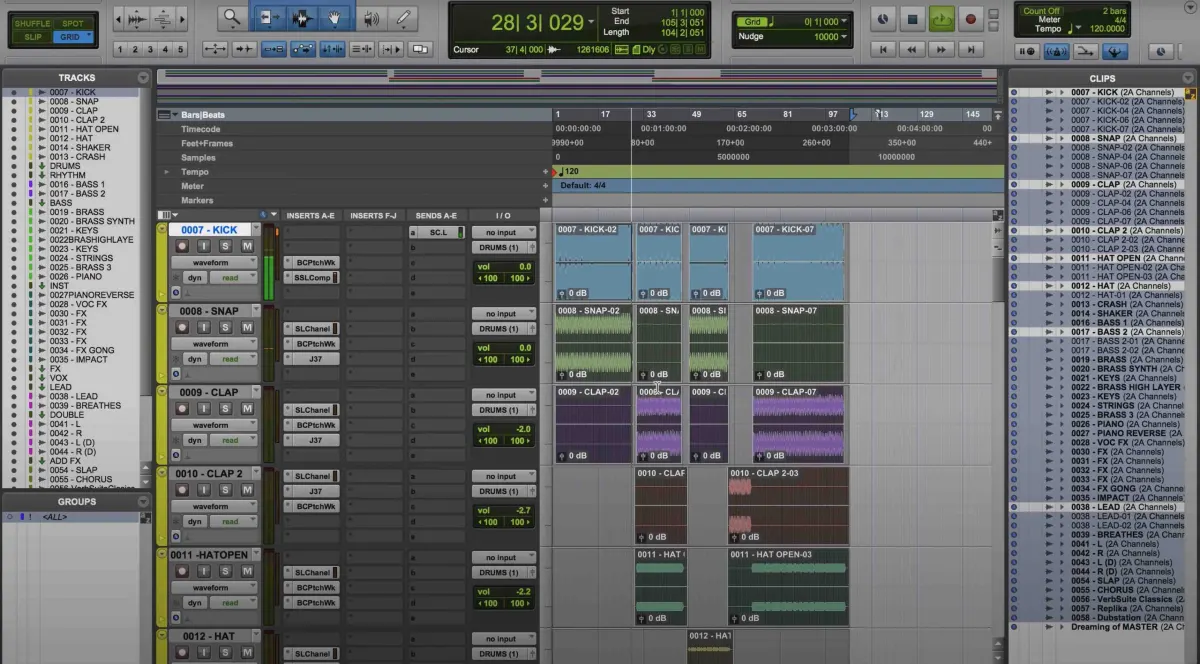
After exporting your stems you can then upload your zip file here at Audiomixingmastering.com/upload for professional online mixing and mastering services for a affordable rate.
Listen to our before and after samples here at Audiomixingmastering.com/samples to hear why we are #1 worldwide.
Stems Done Right
Pro Tools makes stem delivery painless once routing is set, and tidy stems are the universal language of mixing services, consistent lengths, printed effects where intended, and a reference bounce alongside.